Product tour

Find, analyse, decide, act, track

Five steps, one record per company. The screenshots below are from the public demo, which runs the real DealFlow interface with fictitious data. Everything shown can be tried there.

01 · Find

Businesses for sale, and the ones that are not advertised

  • For sale: listings from 15 marketplaces in 11 countries in one table, with filters for country, sector, revenue, profit, asking price, headcount, marketplace, pipeline stage and date added.
  • Ranges overlap as they should: a listing with revenue "€1–2m" matches a search for "at least €1.5m". Listings that publish no figures can be kept or left out.
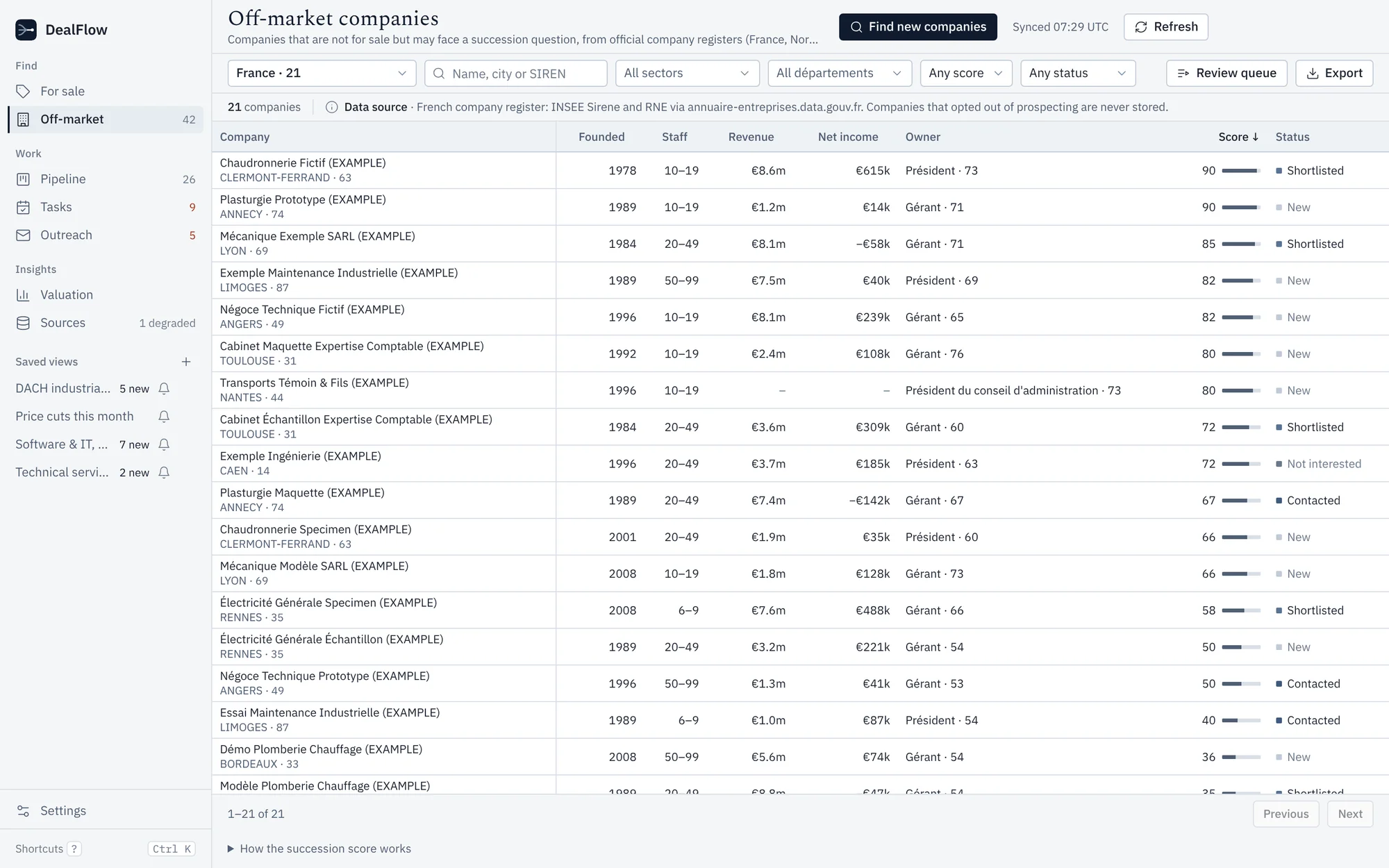
  • Off-market: companies from the official registers of France, Germany, Norway and Finland that look like succession candidates. Search by sector, region, headcount, legal form and the owner's age.
  • Saved views show how many listings are new since you last looked.

In the demo: filter For sale by country and sector, then switch to Off-market and pick France.
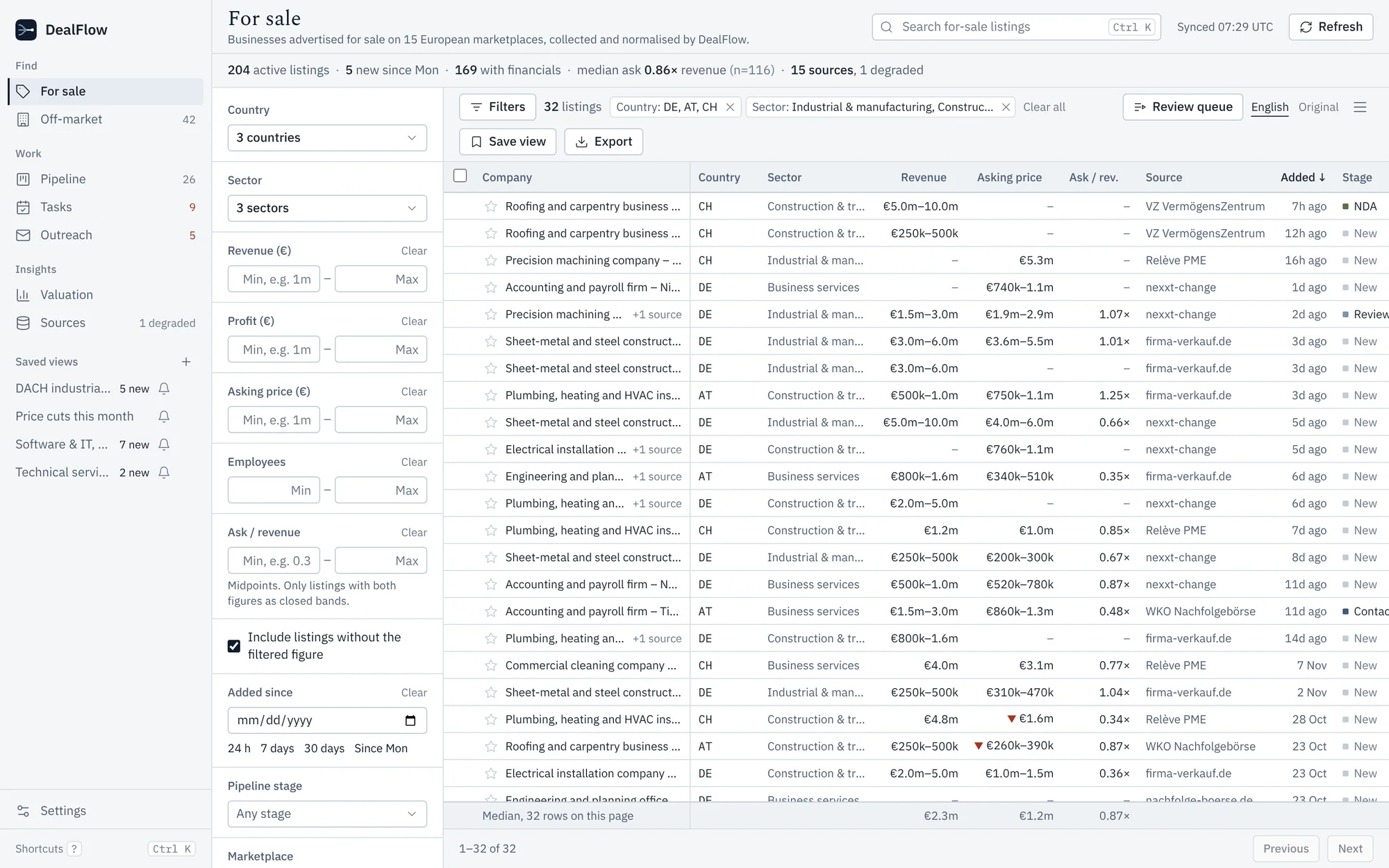
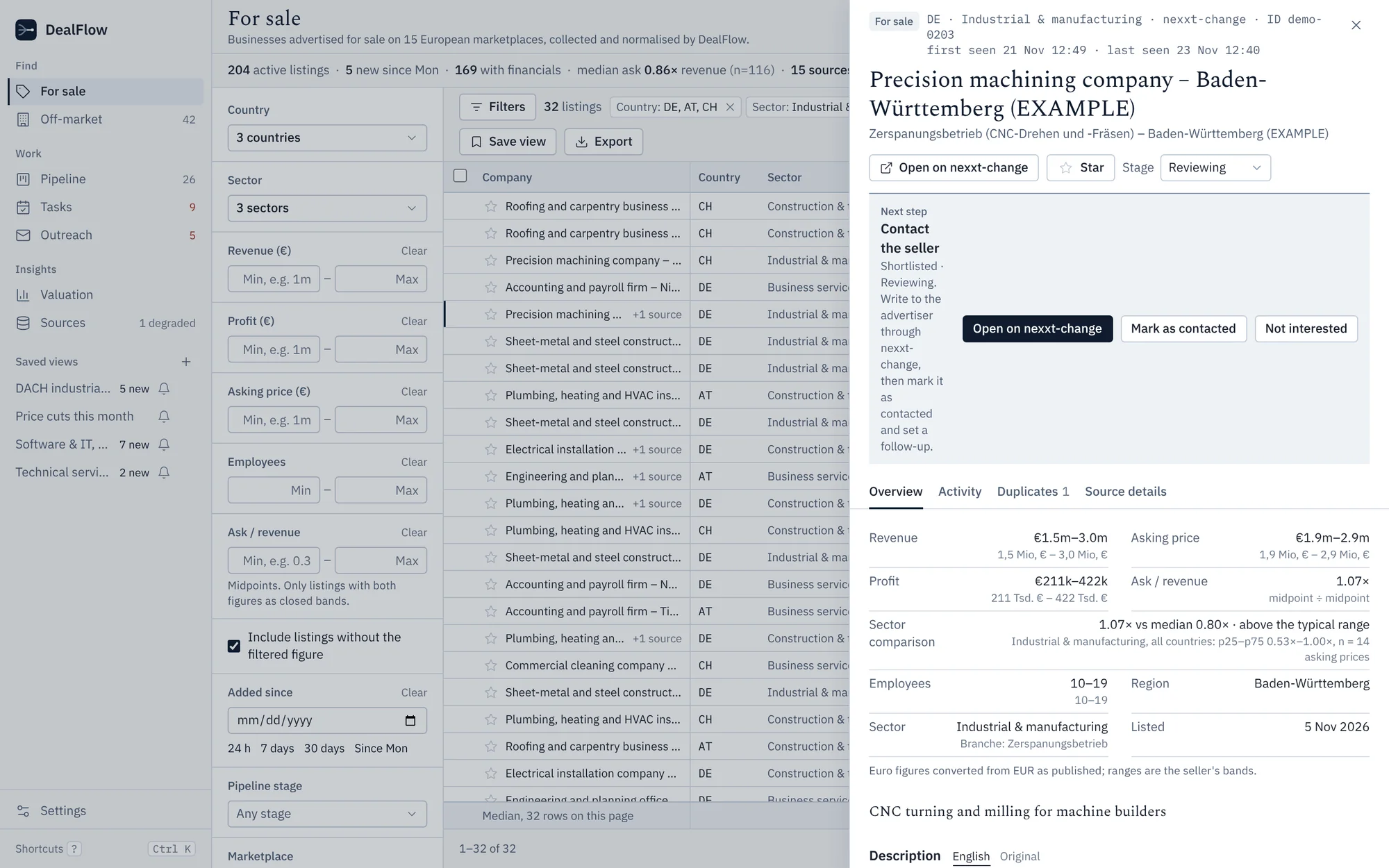
For sale view with the filter panel open: country, sector, revenue and asking-price filters, and a table of matching listings.
Off-market view: companies from the French company register with owner age, founding year, staff, revenue and a succession score bar.
02 · Analyse

The figures, their source, and what they mean

  • Each listing opens in a side panel: normalised figures next to the text as published, the marketplace and when DealFlow first saw it.
  • The asking price relative to revenue, compared with the median of the same sector across all marketplaces.
  • Price cuts and other changes, with dates. Duplicates on other marketplaces, one click away.
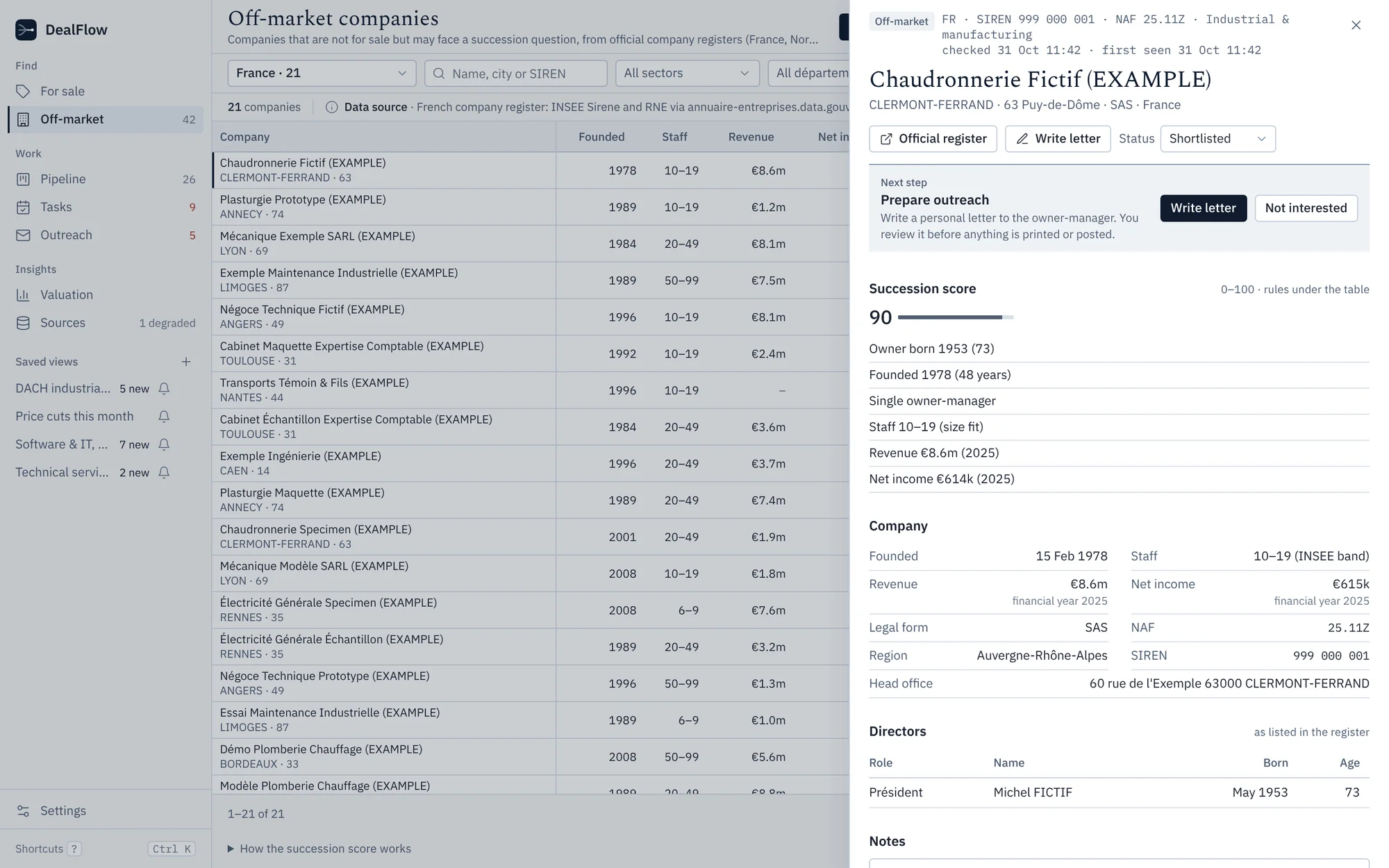
  • For off-market companies, a succession score from 0 to 100 built from the owner's age, the company's age, ownership, size and published accounts, with every reason listed.

In the demo: open a listing and look at the sector comparison; open a French company and read its score.

Listing detail panel with a Next step box, key figures, the asking-price multiple and the sector comparison.
Company panel for an off-market company with the succession score and the reasons behind it: owner age, founding year, single owner-manager, size fit, revenue.
03 · Decide

Work through the list, then keep the pipeline moving

  • Review queue: step through the filtered list one company at a time. j and k move, s shortlists, x marks not interested.
  • Every panel starts with a Next step box that says what to do now and does it in one click.
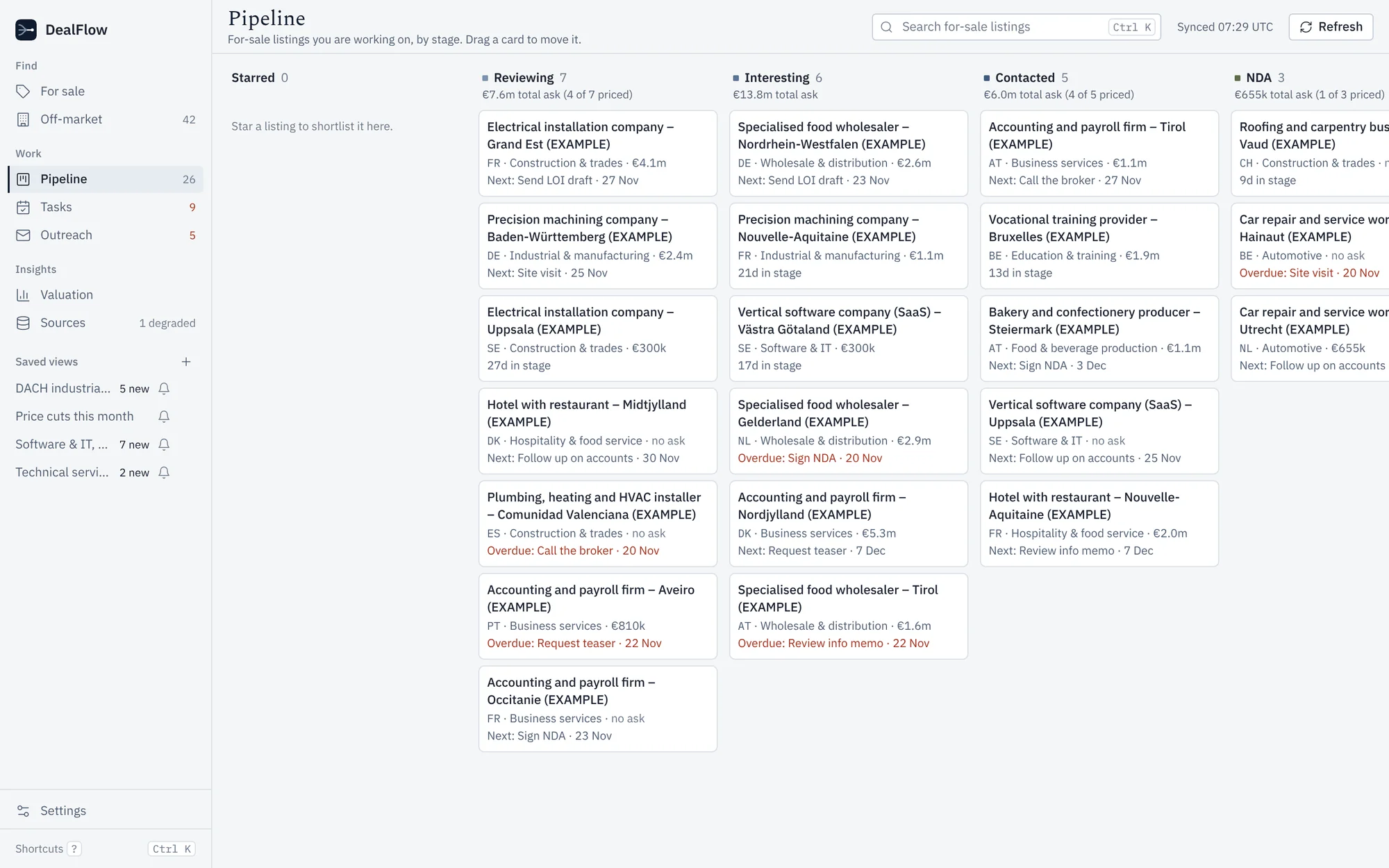
  • Pipeline: a board from Reviewing to Closed, with notes, activities (calls, NDA, information memorandum, LOI) and next actions with due dates.
  • Tasks: what is overdue, due today and coming up.

In the demo: press Review queue and use the keys; drag a card on the Pipeline board.

Pipeline board with columns Reviewing, Interesting, Contacted, NDA, Info memo, LOI and Due diligence, each with cards showing country, sector, asking price and days in stage.
04 · Act

A personal letter to the owner, posted after you confirm

  • One-page succession letters in French, German, English, Norwegian or Finnish, as a first letter or a follow-up, addressed to the owner-manager named in the register.
  • Each letter carries the data-protection notice required by GDPR Art. 14: where the address came from, why you write, how long it is kept and how to object.
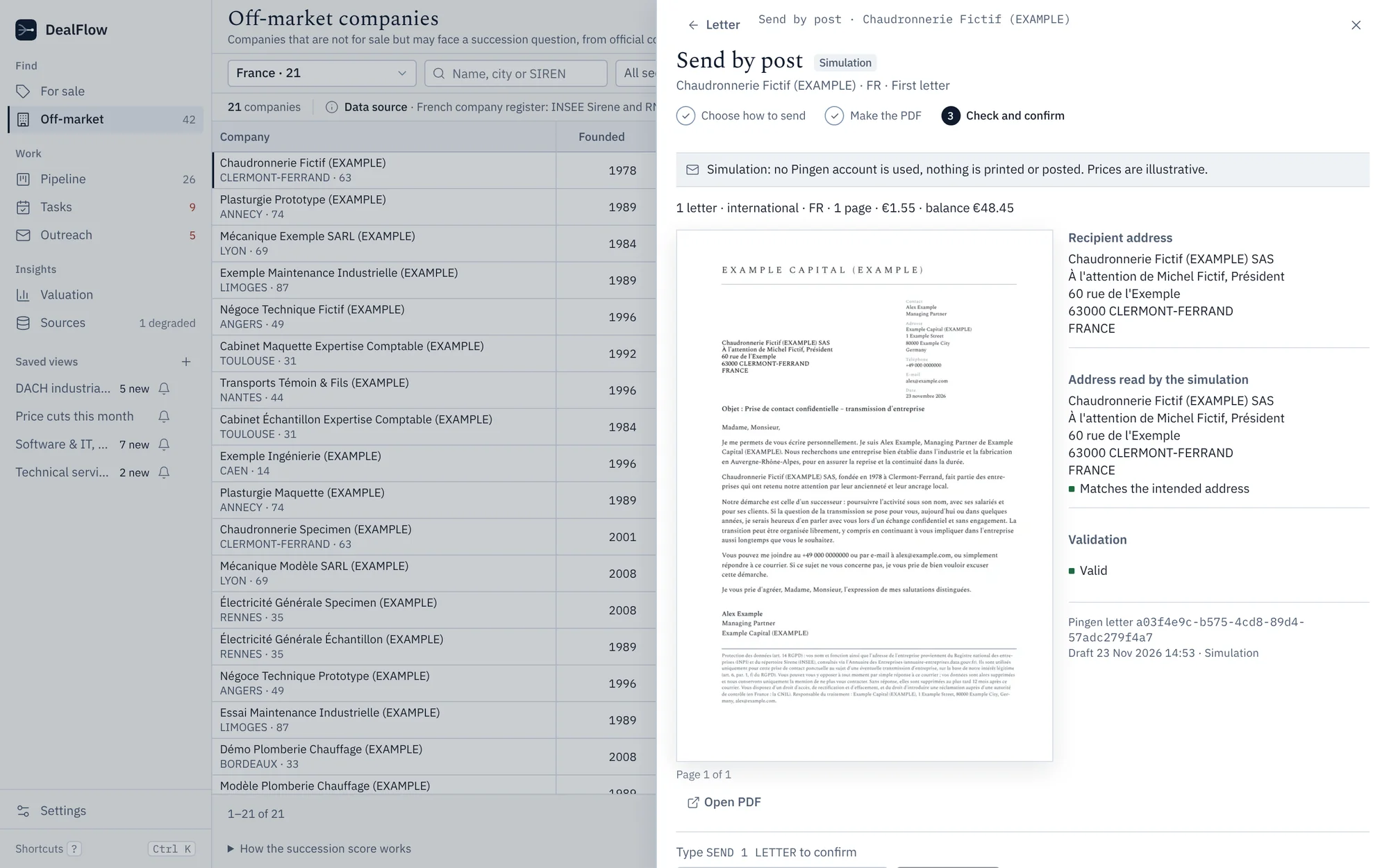
  • Edit the text, print it yourself, or send it by post through Pingen: DealFlow makes the PDF on your letterhead and uploads it as a draft. You see the page, the address Pingen read and the price, then type the confirmation. Nothing is posted before that.
  • DealFlow never sends cold e-mail.

In the demo: open a shortlisted French company, choose Write letter, then Send by post. The demo uses the simulation; nothing is posted.

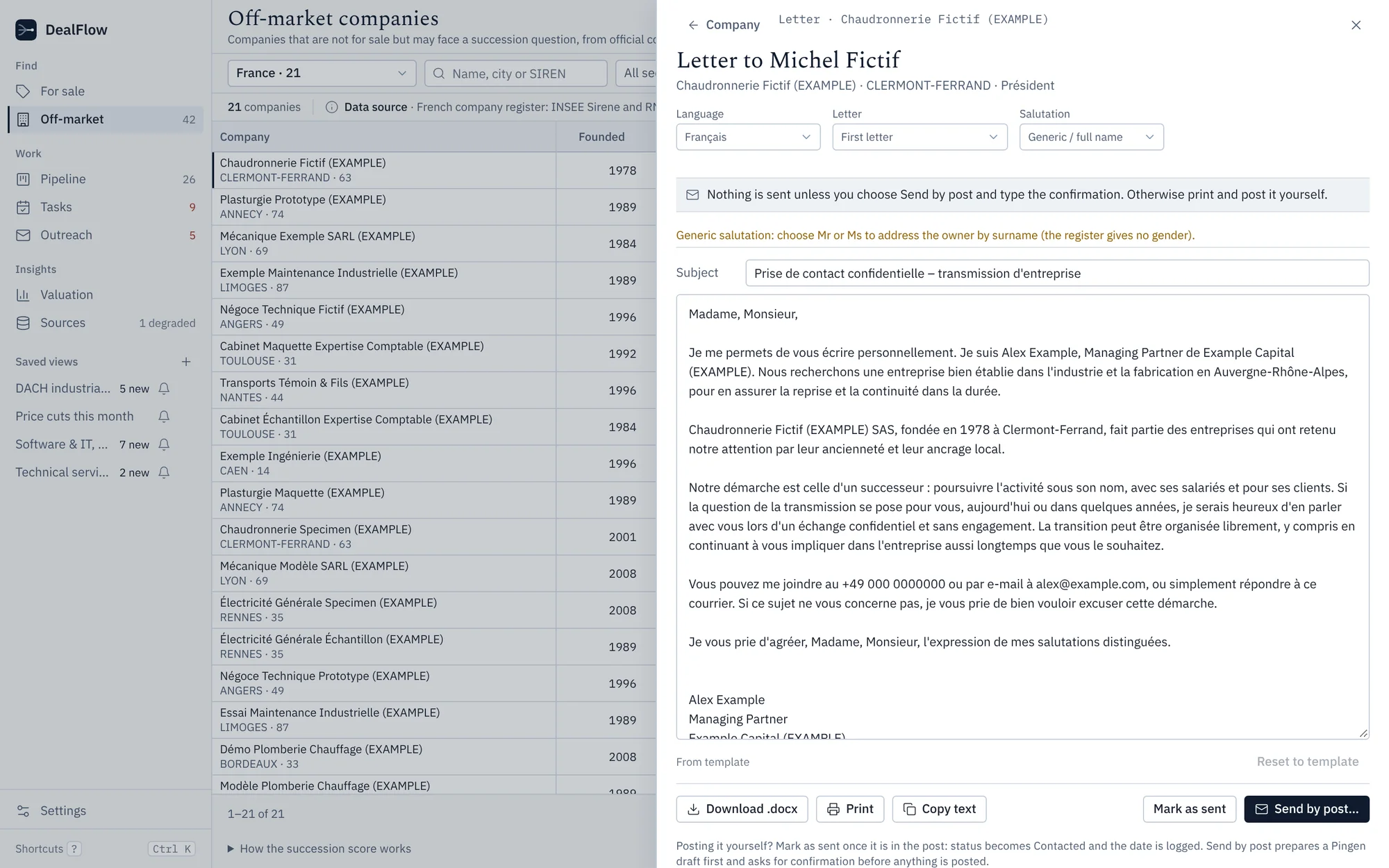
Letter editor in the company panel: language, letter and salutation selectors, the subject, and the French letter text with the data-protection notice.
Send by post panel in simulation mode: the page as it will be printed, the recipient address, the address read back, validation, and a field to type the confirmation phrase.
05 · Track

Replies, follow-ups and what was sent

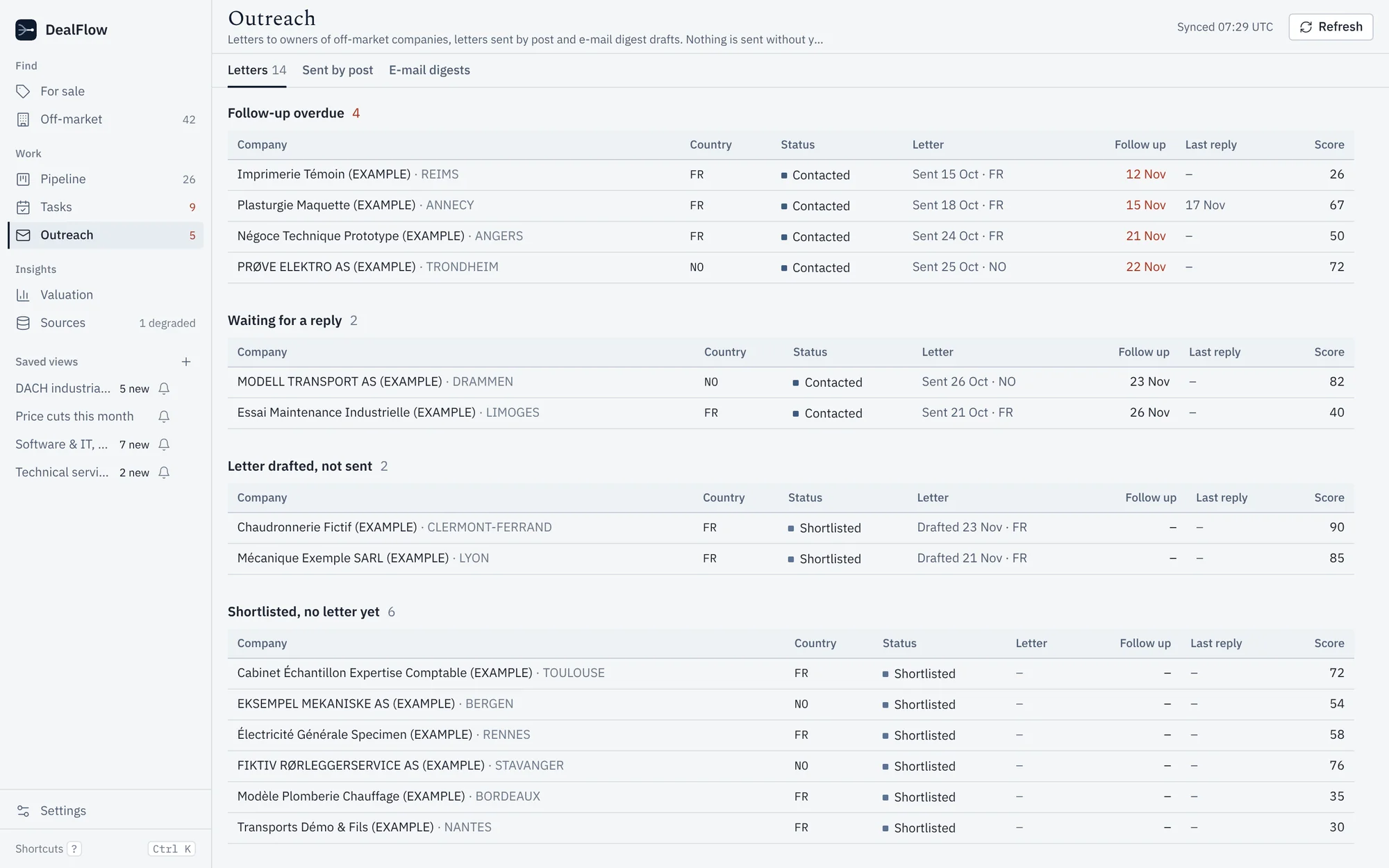
  • Outreach lists every company you are writing to: follow-ups overdue, waiting for a reply, drafted, shortlisted.
  • A follow-up date is set four weeks after a letter goes out, or whenever you choose. Replies, calls and notes go into the company's log.
  • Letters sent by post are listed with their status, cost and tracking.
  • E-mail digests summarise new listings, price cuts, tasks and new high-score companies. They are prepared as drafts you can read or download; DealFlow does not send them.
  • Export any view to Excel, with an audit sheet of criteria, exchange rates and sources.

In the demo: open Outreach, log a reply on a contacted company, and look at the Tasks page.

Outreach view: a worklist of companies with status, letters sent, last reply and follow-up dates.
Also in the product

The details that save time every week

  • Command palette (Ctrl/⌘ K) and keyboard shortcuts throughout
  • Compact and comfortable row density, light and dark mode
  • Sources page with the health of every marketplace and the last refresh
  • Scheduled refresh, from hourly to daily
  • Precedent transactions: completed-deal announcements from Brookz (Netherlands)
  • Your firm's name and logo in the tool and on the letterhead

Become a design partner

A free three-month pilot in exchange for regular feedback. We set DealFlow up for your search criteria and countries.